
US costs vary widely. User and device counts, office size, wired and wireless coverage, cabling condition, security needs, equipment quality, and DIY versus professional installation all move the number.
No honest source publishes one all-in price for a basic, standard, and advanced setup. So this guide gives verified component prices, installer benchmarks, and a method for building a realistic budget from itemized quotes.
Key Takeaways
- No universal price exists; installer benchmarks and component prices are the reliable inputs.
- Cabling, layout, firewall capacity, security needs, and support level drive most variation.
- Simple cloud-first offices may fit basic or DIY; regulated or multi-floor sites need professional design.
- Budget one-time, recurring, and periodic costs separately.
How Much Does a Small Business Network Setup Cost?
A single-office Wi-Fi network and a professionally installed, segmented business network are different projects. Comparing them on price alone misleads.
Misreading the price usually causes three problems:
- Underbudgeting cabling and configuration labor
- Buying equipment that can't handle the real workload
- Missing licenses, maintenance, and future expansion
Typical Cost Range
Published 2026 figures don't support one three-tier total. Use these contractor benchmarks as planning ranges, not fixed quotes:
- One installer benchmarks a "standard office" at $250-$450 per user for cabling, switching, Wi-Fi, and rack. That figure excludes network hardware and is based on programs of 25+ sites, according to SRS Networks.
- The same source lists a 3,000-10,000 sq. ft. medical clinic with 20-40 drops at $14,000-$34,000, and a 2,000-6,000 sq. ft. branch office with 12-24 drops at $9,500-$22,000.
- These are contractor planning examples, not national averages. Don't add them to hardware or subscription figures without matching scope.

Entry-Level or Basic Setup
A basic setup typically includes:
- Business-grade router or firewall and one switch
- Limited Wi-Fi coverage and essential cabling
- Basic configuration and minimal documentation
It usually excludes construction, advanced segmentation, managed support, and extensive security services. It fits a very small office, startup, home-based business moving into commercial space, or a team with cloud workflows and few connected devices.
Mid-Range or Standard Setup
This is a professionally planned single-office network. It usually covers:
- Multiple access points and managed PoE switching
- Business firewall and structured cabling
- Separate guest and staff networks
- Testing, documentation, and initial support
It suits growing offices, clinics, law firms, accounting practices, and nonprofits that need reliability, stronger security, and room for more users. Get an itemized quote so cabling and hardware benchmarks match your drop and device counts.
High-End or Advanced Setup
Higher budgets are justified by:
- Multi-floor or multi-site coverage
- Extensive cabling and high device density
- Redundant internet connectivity
- Advanced firewall protection and compliance-related controls
- Secure remote access and a surveyed Wi-Fi design
- Professional monitoring
Estimates should flag what's excluded: internet service, electrical or HVAC work, construction, hardware replacement, security software, managed IT, and private 5G.
Key Factors That Affect Small Business Network Setup Cost
Price follows technical requirements, building conditions, business risk, and the support needed after installation.
Network Type and Configuration
A basic LAN is cheap. A business-grade design adds more:
- Managed switches and multiple SSIDs
- VLANs, guest isolation, and traffic prioritization
- Secure remote access and central management
A business running VoIP, video calls, point-of-sale, cameras, or shared files needs more capacity and prioritization than one with light web use.
Office Size, Layout, and Device Density
Walls, floors, ceiling construction, and interference all affect access-point placement, cable runs, switch ports, and labor.
Cisco Meraki's small-office example places 4 access points for a 10-employee office expecting up to 41 active devices, based on a site survey. A single-room office with a handful of devices may need one.
A multi-floor space needs more APs, longer runs, and more switch ports. Ubiquiti's U7 Pro lists 1,500 sq. ft. of coverage, but a product figure alone doesn't determine AP count.
Cabling, Infrastructure, and Site Preparation
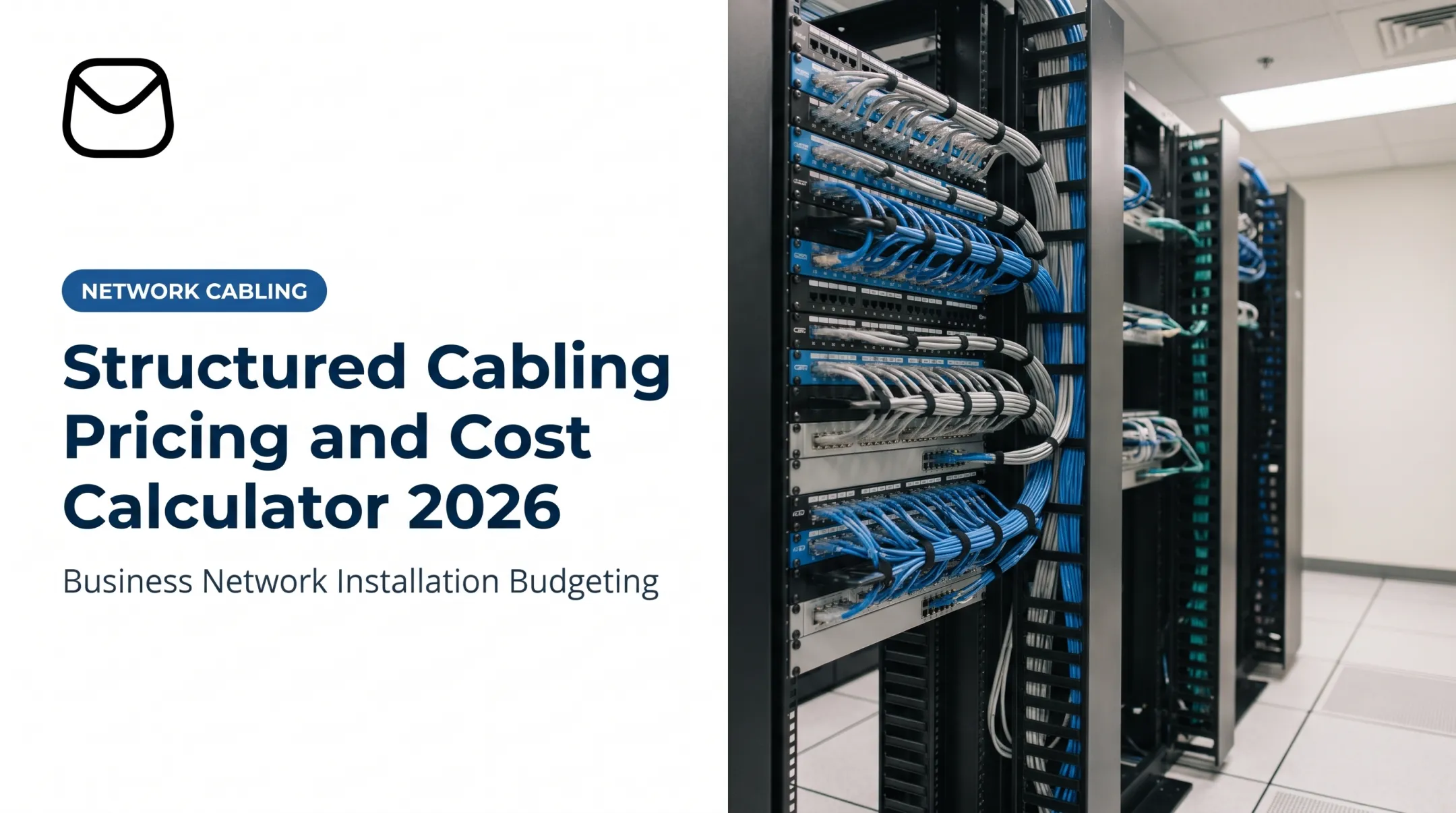
Cabling is often the largest variable. A regional installer reports Cat6 at $150-$250 per drop and Cat6A at $200-$350+ per drop for harder jobs, according to Data Wire Solutions. That's one seller's planning estimate, not a national survey.
Other cost drivers:
- Patch panels, racks, and cable management
- Conduit, landlord approval, and permits
- Power outlets, grounding, and closet cooling
- Solid ceilings, long runs, and occupied premises
Test existing cabling before reusing it:
- Verification checks connectivity
- Qualification checks whether a link supports your target technology
- Certification gives pass/fail results against a standard
Confirm plenum requirements against your local adopted code rather than assuming.
Security, Compliance, and Business Risk
Law, medical, financial, and payment-handling businesses often need stronger firewalls, segmentation, identity controls, logging, endpoint protection, and backups.
Regulations shape scope, not a fixed premium:
- HIPAA's Security Rule requires access and audit controls for ePHI systems.
- PCI DSS guidance for some merchants calls for isolating payment devices through a firewall or segmentation.
- The FTC Safeguards Rule calls for access-control review and monitoring.
Network equipment alone doesn't make a business compliant. Policies, procedures, and endpoint controls matter too.
Internet Capacity and Hardware Compatibility
Plan internet service, firewall throughput, switch capacity, and Wi-Fi standards together. A faster connection is wasted if the firewall can't process it.
Spec sheets show why. The FortiGate 40F lists 5 Gbps firewall throughput, but only 800 Mbps with next-gen firewall features and 600 Mbps with threat protection enabled. Compare the metric that matches the features you'll turn on.

Keep ISP charges separate from installation costs, and ask whether the ISP supplies the modem, router, or backup line.
Support Model and Growth Plans
Support choices change both upfront spend and ongoing cost:
- Self-management saves cash but costs staff time
- Break-fix is pay-as-needed with slower response
- Co-managed and fully managed models add monitoring, updates, and predictable spending
One managed IT provider, ITS, lists $125-$300 per user/month, but that covers helpdesk, 24/7 support, and on-site help, so it isn't network-only pricing.
Buy scalable gear with spare ports, supported firmware, central management, and documented configurations. That avoids a full redesign as you grow.
Small Business Network Cost Breakdown and Low-Cost vs High-Cost Comparison
Total cost includes far more than routers, switches, and access points. Break the budget into one-time, recurring, and periodic costs so nothing gets missed.
Initial Equipment Purchase
One-time, with possible recurring licenses. Example prices:
| Item | Example price |
|---|---|
| Wi-Fi 7 access point (Ubiquiti U7 Pro) | $189 |
| 24-port managed PoE switch (Ubiquiti Switch Pro Max 24 PoE) | $880 |
| Comparable 24-port PoE switch (CDW listing) | $915.99 |
| Rackmount UPS (APC Smart-UPS 1500VA, CDW) | $2,379.99 |

These are single-model examples, not market ranges. Firewall, rack, and patch panel pricing varies too widely to quote reliably, so request model-specific quotes.
Installation, Configuration, and Testing
Usually one-time, sometimes with project-management charges. Labor typically covers:
- Site assessment and network design
- Cable installation and equipment mounting
- Configuration, security hardening, and device onboarding
- Testing, documentation, and handoff
DIY shifts that labor to you. For context, BLS May 2025 median wages run $30.54/hour for telecom equipment installers and $36.64/hour for network support specialists. Those are employee wages, not contractor billing rates, but they show that your own time has real value.
Internet, Software, and Security Services
Recurring, monthly or annually. Budget separately for:
- Internet service and firewall subscriptions
- Cloud-managed licensing and endpoint security
- Monitoring, backup, VPN, and authentication
Cisco Meraki, for example, ties subscription licenses to each network. Ask every vendor which of these items its quote includes.
Maintenance, Support, and Administration
Recurring. Ongoing work includes:
- Firmware updates and configuration backups
- Alert response, troubleshooting, and documentation
- User and device changes, security reviews, and vendor coordination
Internal staff can handle it, or you can outsource it.
Upgrades, Replacements, and Expansion
Periodic. Plan ahead for:
- Replacing unsupported gear
- Adding access points or switch ports
- Upgrading cabling, expanding offices, and increasing bandwidth
Vendors publish end-of-sale and end-of-support dates. Meraki's listings give specific milestones per product, so check them rather than assuming a fixed lifespan.
Low-Cost vs High-Cost Small Business Networks
Neither extreme is automatically right.
- Lower-cost: fewer devices, simpler setup, limited redundancy, more internal responsibility, less growth room.
- Higher-cost: stronger hardware, professional design, segmentation, monitoring, documentation, support, expansion capacity.
Performance still hinges on equipment capacity, wireless coverage, traffic management, and configuration quality. Reliability comes from business-grade hardware, warranty coverage, power protection, and outage resilience.
Security is another gap between the two paths. Basic password access is not the same as managed controls, timely updates, monitoring, and backups. NIST has published cybersecurity requirements for consumer-grade routers, but that doesn't mean every consumer router is insecure.
Long-term value is where cheap setups get expensive. In an ITIC 2024 survey, 57% of SMBs with 20-100 employees estimated an hour of downtime could cost up to $100,000.

Those figures are respondent estimates, and micro-businesses typically face far less. Still, repeated outages, troubleshooting, early replacement, or a redesign can erase the upfront savings.
How to Estimate the Right Budget for a Small Business Network and What Most People Miss
Base the budget on requirements and total ownership cost, not the lowest equipment quote.
Build a Requirements-Based Estimate
Document:
- Users, devices, and applications
- Wired drops and wireless coverage areas
- Office layout and sensitive systems
- Growth, uptime, and remote access needs
- Whether you need guest, staff, voice, camera, or IoT segments
Then request itemized quotes that break out:
- Equipment, cabling, and labor
- Configuration, testing, and licenses
- Internet, support, and taxes
- Construction and optional upgrades
Without that split, proposals can't be compared.
Choose Between DIY, Professional Installation, and Managed Support
DIY can work for a small, cloud-based office with few devices. Bring in professionals for multi-floor spaces, complex cabling, regulated data, VoIP, high device counts, or no in-house expertise.
When you need design through ongoing support, QTSI can help. Based in Wayne, New Jersey, and serving New Jersey, New York, Pennsylvania, and the wider tri-state area, QTSI designs and installs structured cabling, firewalls, and wireless networks. Flat-rate support means no hourly billing. Request a tailored assessment or quote if you want help designing, securing, monitoring, or supporting a scalable network.
What Most People Miss
- Upfront-only thinking: Labor, configuration, documentation, internet, subscriptions, support, and internal staff time all count.
- Site readiness: Electrical work, UPS, grounding, cooling, racks, landlord approval, permits, and cable repairs.
- Over-specified bandwidth: Premium features bought without checking workloads, firewall throughput, or compatibility.
- Cheapest-quote bias: Ignoring firmware support, warranty, security features, vendor responsiveness, and downtime cost.
Conclusion
Small business network costs in 2026 range from a simple single-office install to a designed, secured, monitored build. Separating equipment, installation, recurring services, maintenance, and upgrades produces a clearer budget and makes proposals easier to compare.
The right investment prioritizes performance, security, reliability, scalability, and predictable support over the lowest sticker price.
Frequently Asked Questions
How much does it cost to set up a network?
It depends on office size, users, devices, cabling, equipment, security, installation method, and support. Use the assumptions in this article and an itemized quote instead of one universal figure.
How much does a private 5G network cost?
Private 5G pricing depends on spectrum, radios, core network, coverage, devices, and managed services, so it needs a specialized quote. One vendor lists about $2,500 per access point for 1–12 APs, excluding other components.
What is included in a small business network setup?
Typically a firewall, switches, access points, cabling, configuration, testing, and documentation, sometimes security or monitoring. Internet service, construction, support, and licenses are often separate.
Is it cheaper to set up a business network yourself?
Upfront, often yes. You still carry the time cost, configuration and security risk, troubleshooting, and possible rework.
What ongoing costs should a small business budget for?
Internet service, software and firewall licenses, security tools, monitoring, backups, support, and maintenance. Also set aside funds for periodic replacement or expansion.
How can a small business reduce network setup costs?
Design to real requirements, reuse tested cabling, phase upgrades, and right-size internet and hardware. Compare itemized quotes, and don't cut essential security or reliability controls.